Comic-aware input
OCR extracts dialogue from balloons and captions so the model receives text it can translate instead of a flattened screenshot.
LOCAL AI TRANSLATION
Turn manga page images into readable translations with OCR, a compatible local language model and comic-aware context. Manga Translator Studio keeps the workflow on your PC and gives you control over prompts, terminology and output.
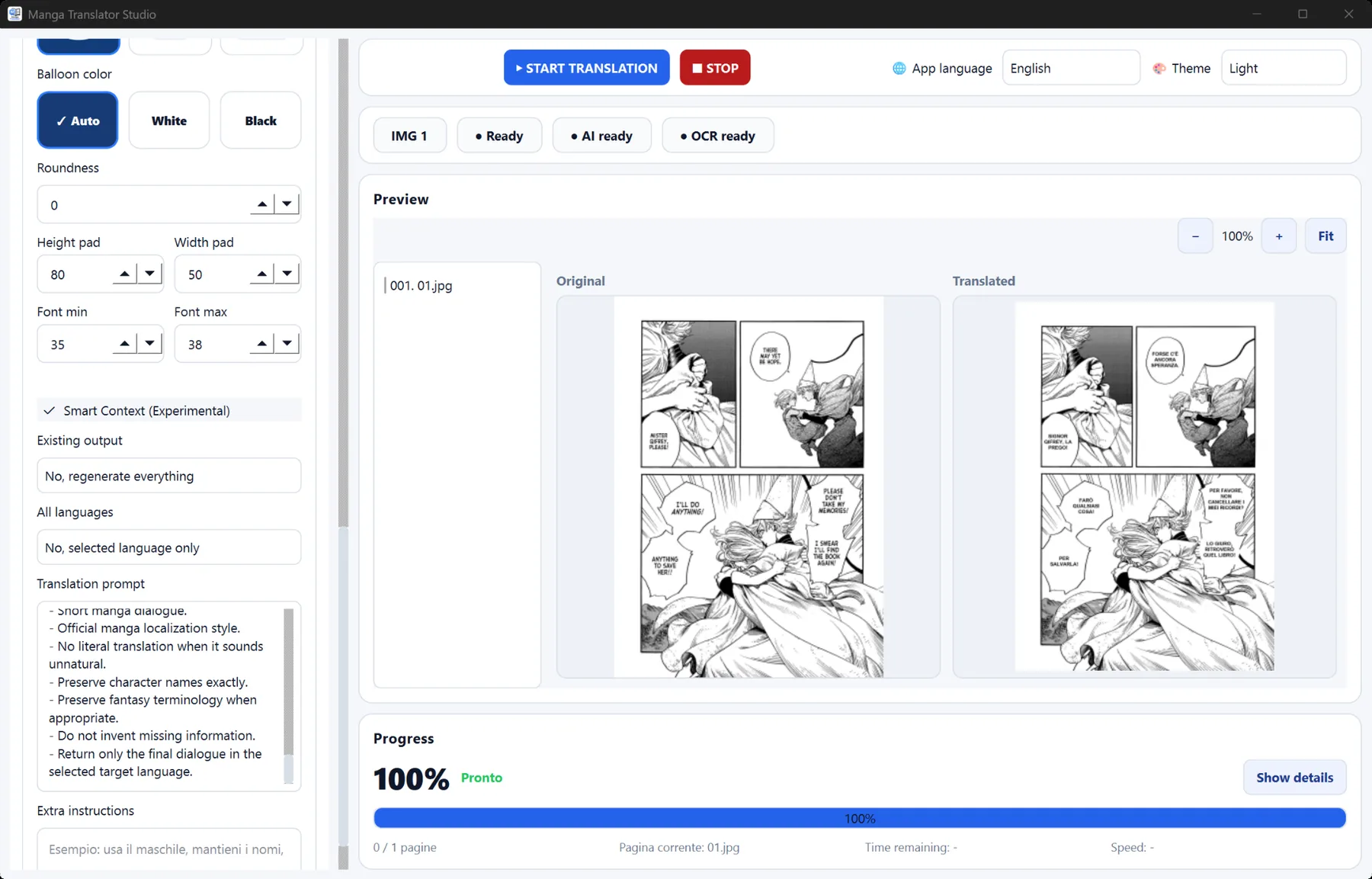
An AI manga translator needs more than a general-purpose text box. Dialogue first has to be found inside artwork, read in the correct order and passed to a model with enough context to understand speakers, names and tone. Manga Translator Studio brings those stages into one repeatable desktop workflow.
OCR extracts dialogue from balloons and captions so the model receives text it can translate instead of a flattened screenshot.
Use profiles and prompts to define names, terminology, honorific choices and the writing style you want for a particular series.
Connect a compatible model through its local API. You can balance translation quality, speed and memory use for your own hardware.
Select a page or an ordered folder, then choose the source and target language for the project.
Select the OCR engine that fits the source text, load a compatible model and apply your manga profile.
Start translation, inspect the rendered result and adjust prompts or layout settings when a page needs refinement.
Yes. The application can connect to a compatible model connected through a local API on your PC, keeping the source files and model requests local.
Yes. Use batch translation for an ordered folder and reuse the same profile across every page.
Not necessarily. CPU use is supported, while a suitable GPU can make local model generation faster. Model size and quantization affect the hardware required.