Privacy by design
Source pages do not need to be submitted to a cloud translation provider when the OCR and language model are configured locally.
PRIVATE LOCAL WORKFLOW
Keep page images, recognized dialogue and AI requests on your machine. Manga Translator Studio connects OCR and a compatible model connected through a local API, avoiding a mandatory cloud translation service.
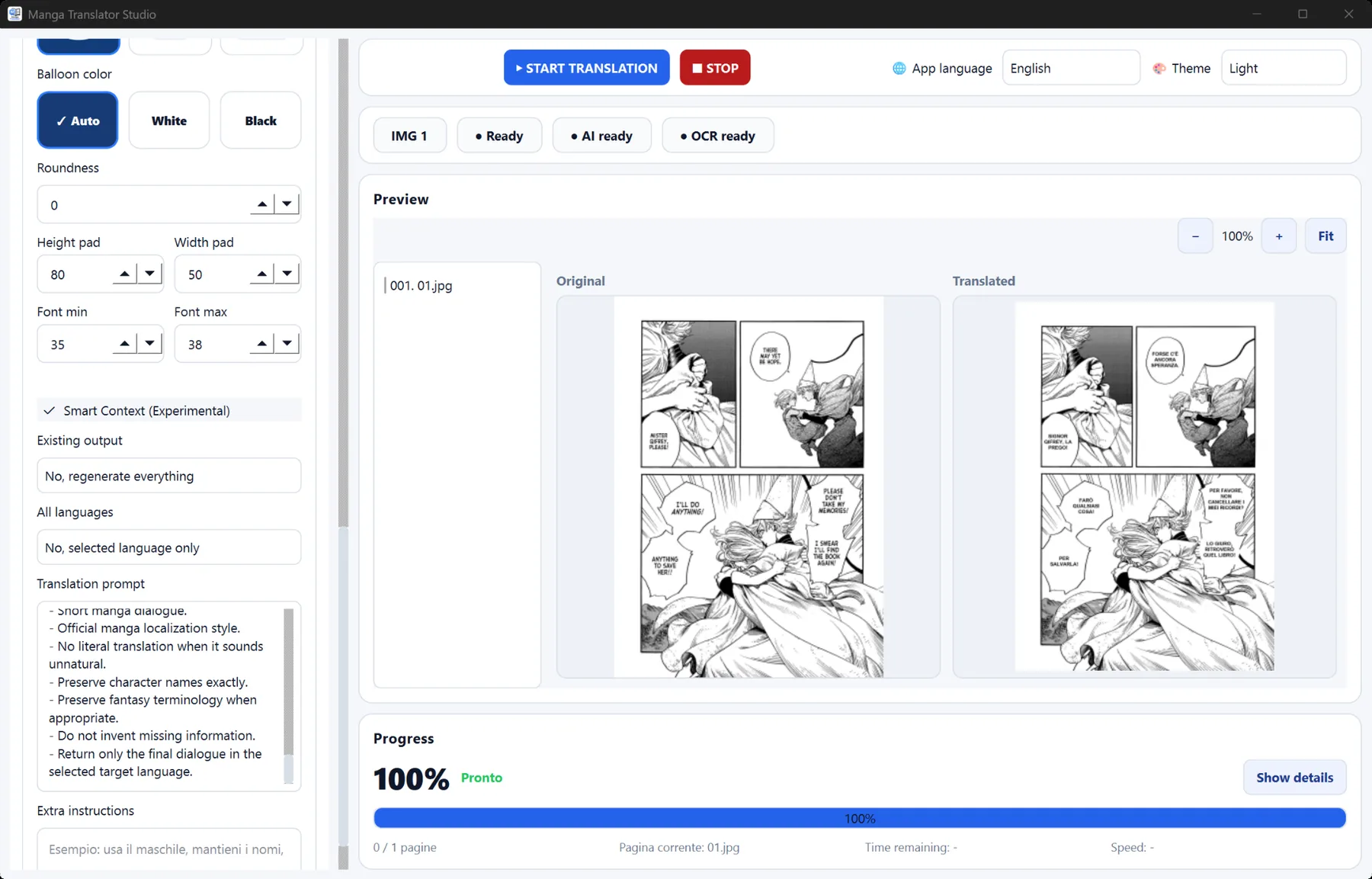
In a local workflow, OCR reads the page on your PC and the translation request is sent to a model served on the same machine. This is useful for private collections, unpublished work, travel or any workflow where uploading page images to a third-party translation service is undesirable.
Source pages do not need to be submitted to a cloud translation provider when the OCR and language model are configured locally.
After the software and model files are installed, translation does not depend on a remote API quota or service availability.
Choose a model size and quantization appropriate for your PC. CPU is supported, while a compatible GPU can improve generation speed.
Install Manga Translator Studio, then download and configure a compatible language model while you have internet access.
Load the compatible model and start its local API server, commonly available at 127.0.0.1 on your own computer.
Select your pages, OCR option and target language. The desktop workflow can then run without a cloud translation API.
Yes. The application can use local OCR and a compatible model connected through a local API on the same PC.
You may need it initially to download the application and compatible model files. Once everything is installed, the core translation workflow can run locally.
Speed depends on model size, quantization, page complexity and hardware. A smaller model may be faster, while a larger one may offer different translation behavior.